Body
Issue:
When I click the Start Button in my test, the test will not load
Resolution:
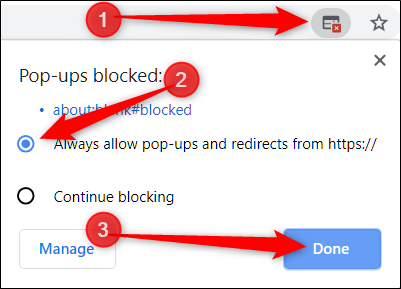
When you click the Start button and nothing happens, check in the upper right hand corner of your search bar(where the URL is housed) and there will be a red X that displays when you click the Start button. Click on the red X and select to always allow popups to this site. Once you select this, go back and reclick the Start button and it should launch.